
Every Member, Managed in One Place
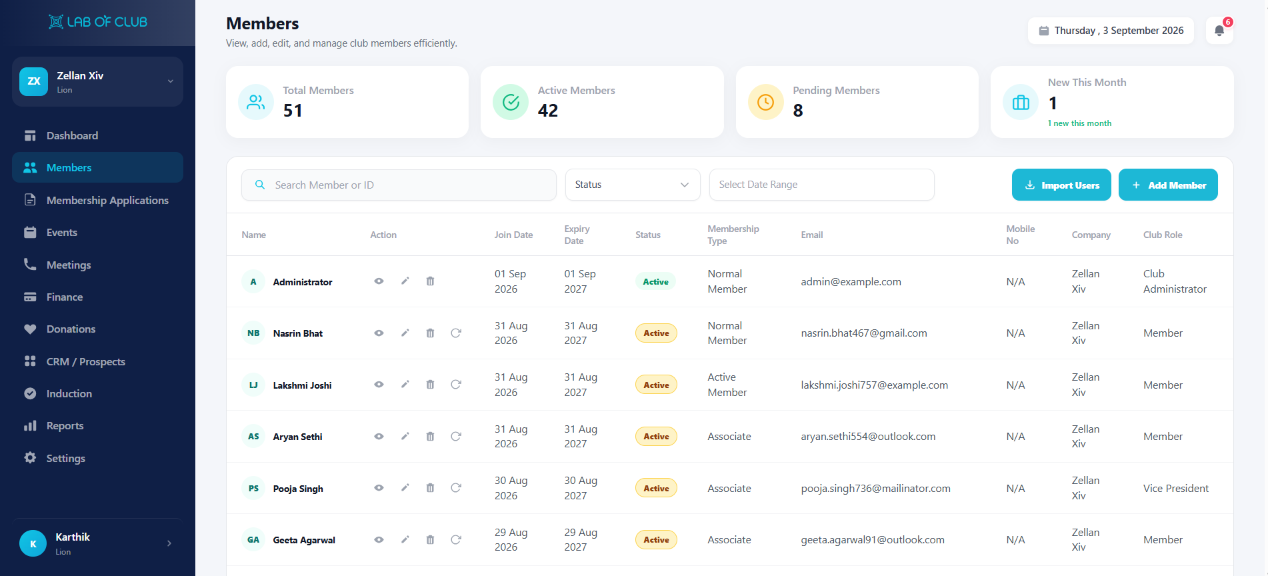
View and manage your whole club roster. Import members with Excel/CSV, invite them by email, add them one by one — then edit details, resend verification, delete or renew without leaving the page.
Why Clubs Are Upgrading to Lab of Club
See the immediate operational difference when moving from fragmented tools to a purpose-built club OS.
Rosters Stuck in Sheets and Chats
- Member lists scattered across Excel files, paper and personal phones
- Adding dozens of members manually takes days of repetitive entry
- Invited members never verify and nobody follows up
- Edits, removals and renewals require digging through old records
One Roster With Every Action Built In
- Bulk import members using Excel/CSV with Full Name, Email, Role and Membership Type
- Invite members through email in bulk, or quick-add them individually
- Resend verification email to anyone who did not respond
- Edit details, delete members and renew memberships all in one place
Engineered for Operational Excellence
Explore the purpose-built tools designed to give your staff and committee complete control.
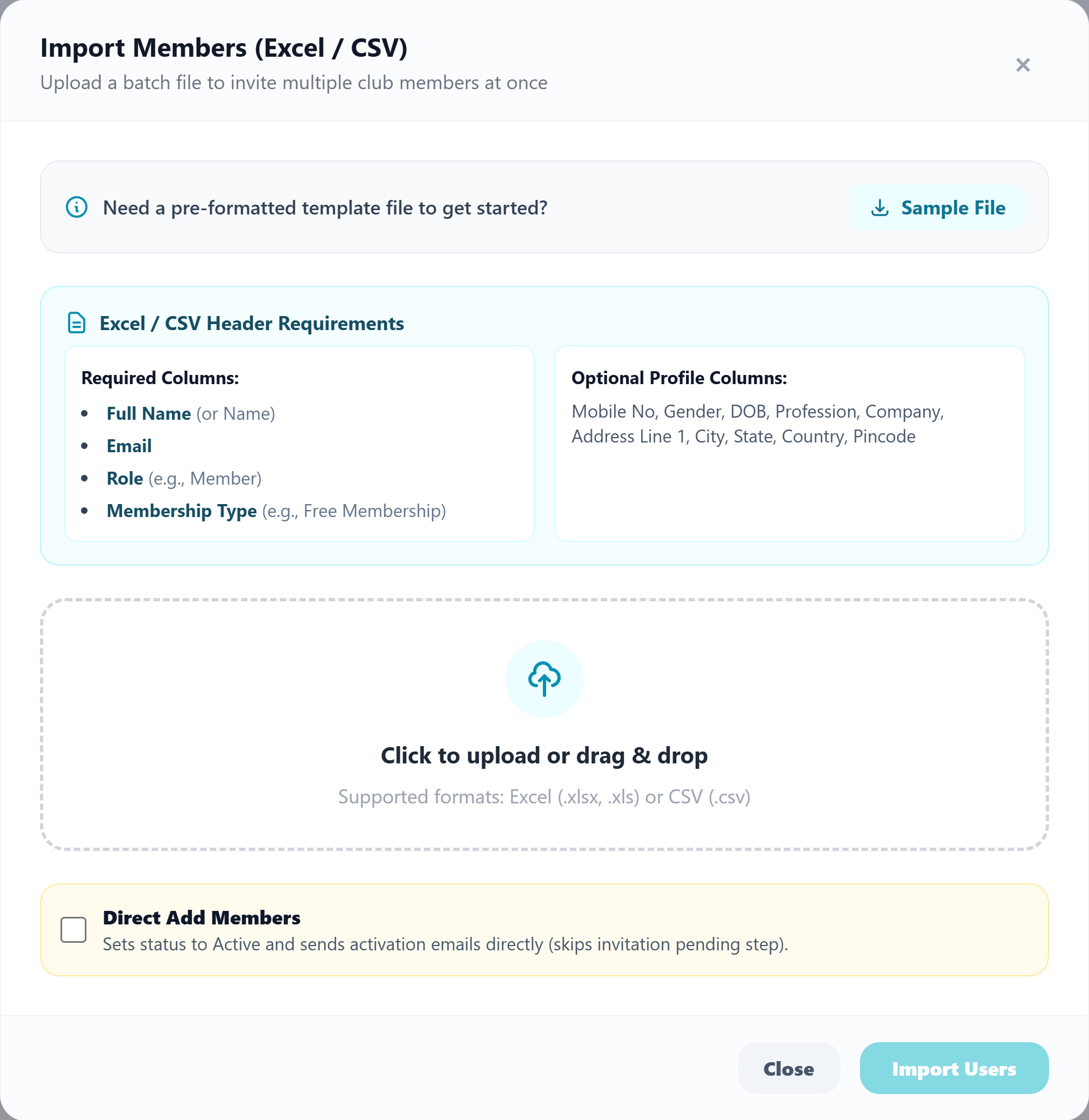
Import Members With Excel / CSV
Migrate your whole club at once. Upload Full Name, Email, Role, Membership Type, Mobile, Gender, DOB, Profession, Company and full address.
- Sample File template download so your spreadsheet is pre-formatted correctly
- Required Columns: Full Name, Email, Role, Membership Type — plus Optional Profile Columns (Mobile, Gender, DOB, Profession, Company, full address)
- Click to upload or drag & drop — Excel (.xlsx, .xls) or CSV (.csv)
- Direct Add Members: set status Active and send activation emails directly, skipping invitation pending — then Import Users
Invite by Email or Add One by One
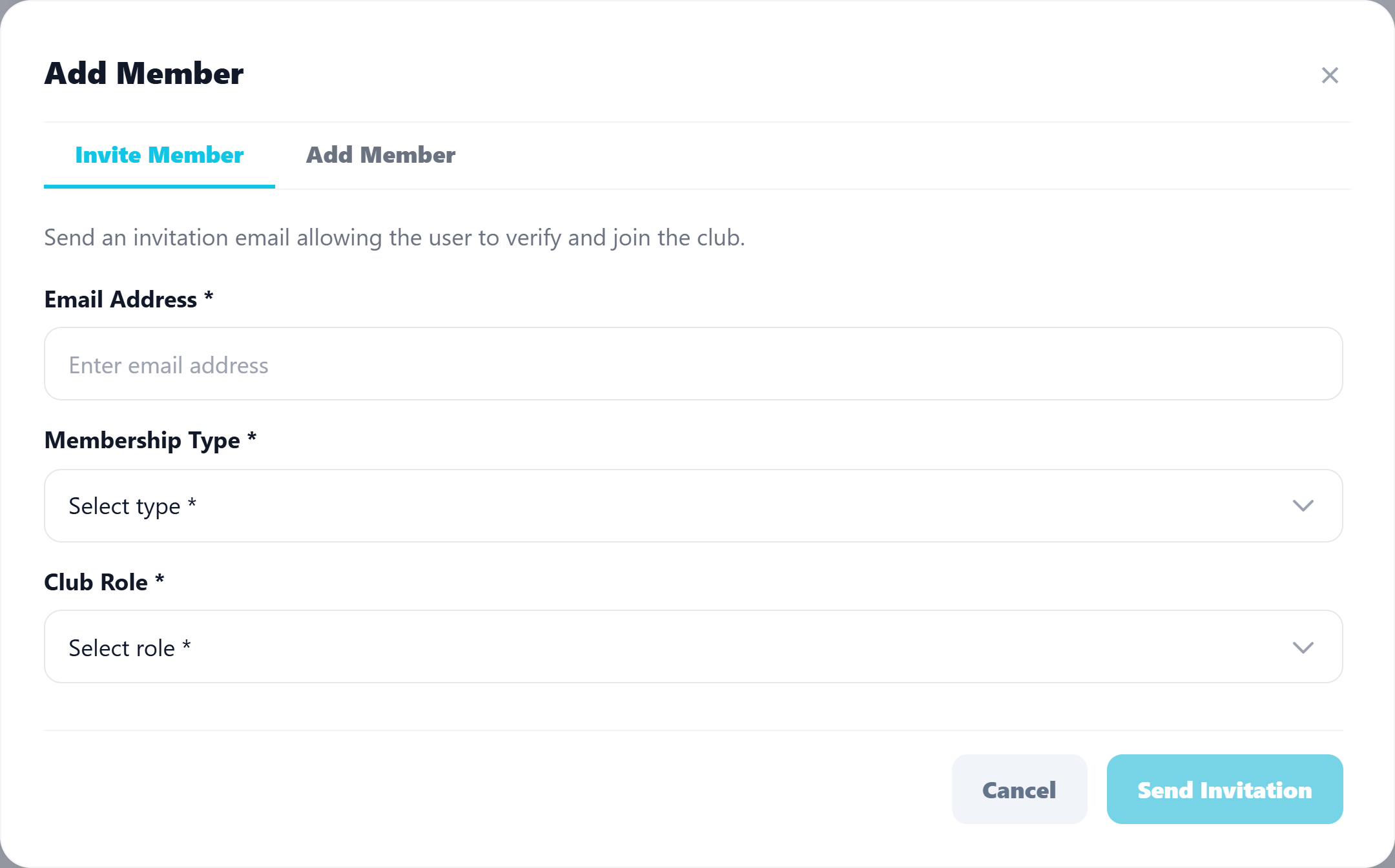
Available to club administrators and anyone with assigned permission. The Add Member modal offers two tabs: Invite Member for email self-onboarding, or Add Member for direct entry.
- Invite Member tab: send an invitation email allowing the user to verify and join the club
- Set Email Address, Membership Type and Club Role before sending the invitation
- Add Member tab for quick-adding single members with Membership Type and Club Role
- Resend verification email when invitees do not respond — permission-controlled throughout
Member Details, Edit, Delete & Renew
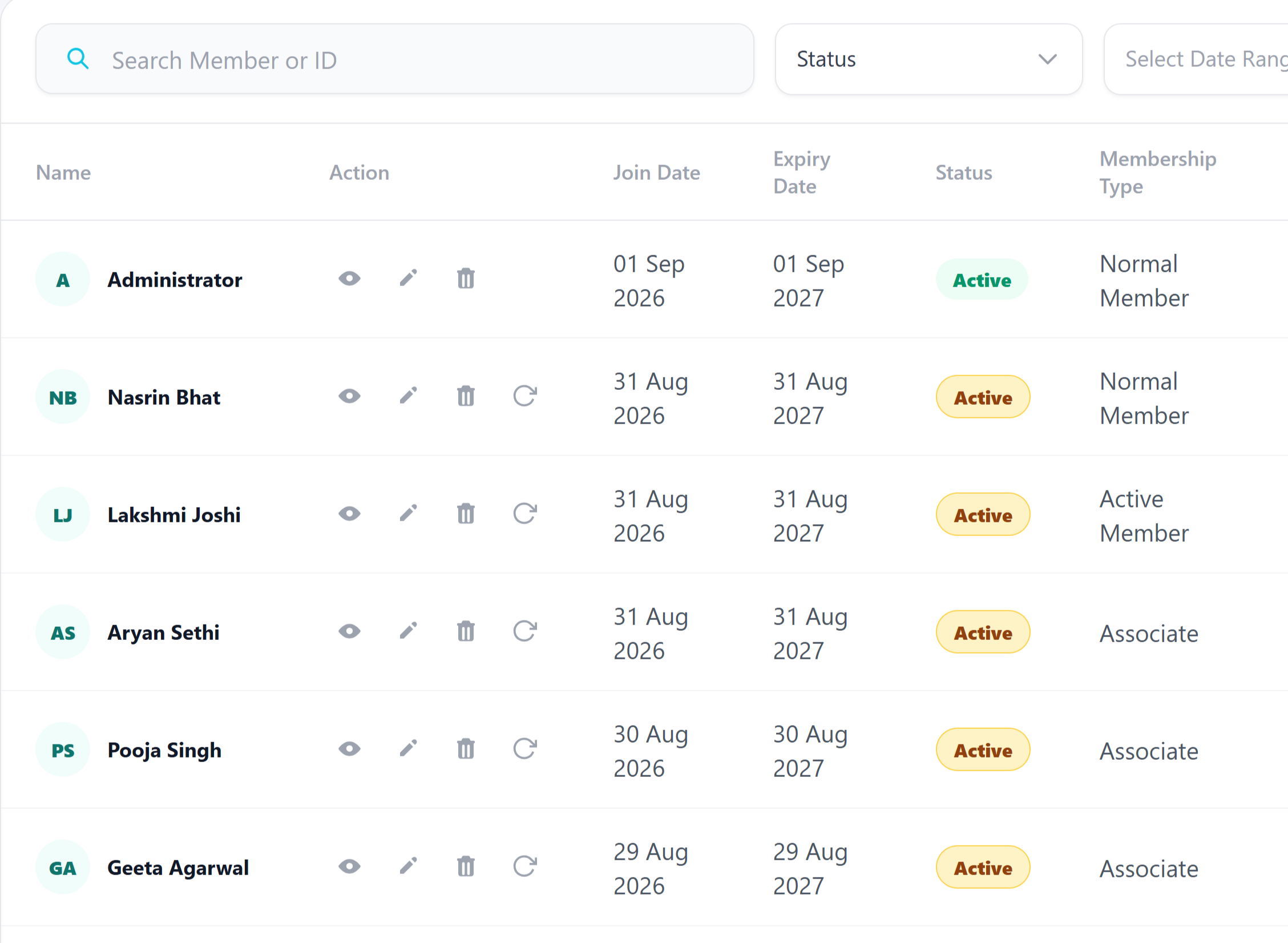
The roster table shows every member with Join Date, Expiry Date, Status and Membership Type — plus per-row actions to view, edit, delete or resend verification.
- Search by Member name or ID, filter by Status and Select Date Range
- Per-row actions: view profile, edit details, delete, resend verification (Nasrin Bhat, Lakshmi Joshi, Aryan Sethi, Pooja Singh, Geeta Agarwal)
- Join Date and Expiry Date (01 Sep 2026 → 01 Sep 2027) with Active badge and type — Normal Member, Active Member, Associate
- Open Member Details for the full drawer, then Renew Membership in one click
Frictionless Workflow in 3 Simple Steps
Designed for high adoption among committee members, staff, and club members alike.
Import or Invite
Upload Excel/CSV, send email invites, or quick-add members individually.
Verify & Activate
Members verify via email — resend verification to anyone who stalls.
Manage Lifecycle
Edit details, delete leavers and renew memberships from the same roster.
Delivering Measurable Results to Premier Clubs
Excel/CSV Import
Onboard hundreds of members in minutes, not weeks.
Verification Resend
Recover stalled invites without manual follow-up chaos.
Edit, Delete, Renew
The full member lifecycle lives on one page.
Permission Controlled
Only admins and permitted roles touch member data.
Got Questions? We’ve Got Answers.
Everything you need to know about implementing this module for your organization.
Ready to Elevate Your Club’s Members?
Get a personalized 1-on-1 walkthrough configured to your club’s exact membership tiers, bylaws, and committee workflow.